Speed & sampling
MiniMax H3 FlashGen 4step: Setup, Prompts & Testing
Understand the FlashGen four-step LoRA, choose a compatible setup, write a first test prompt, and compare speed and quality without misleading benchmarks.
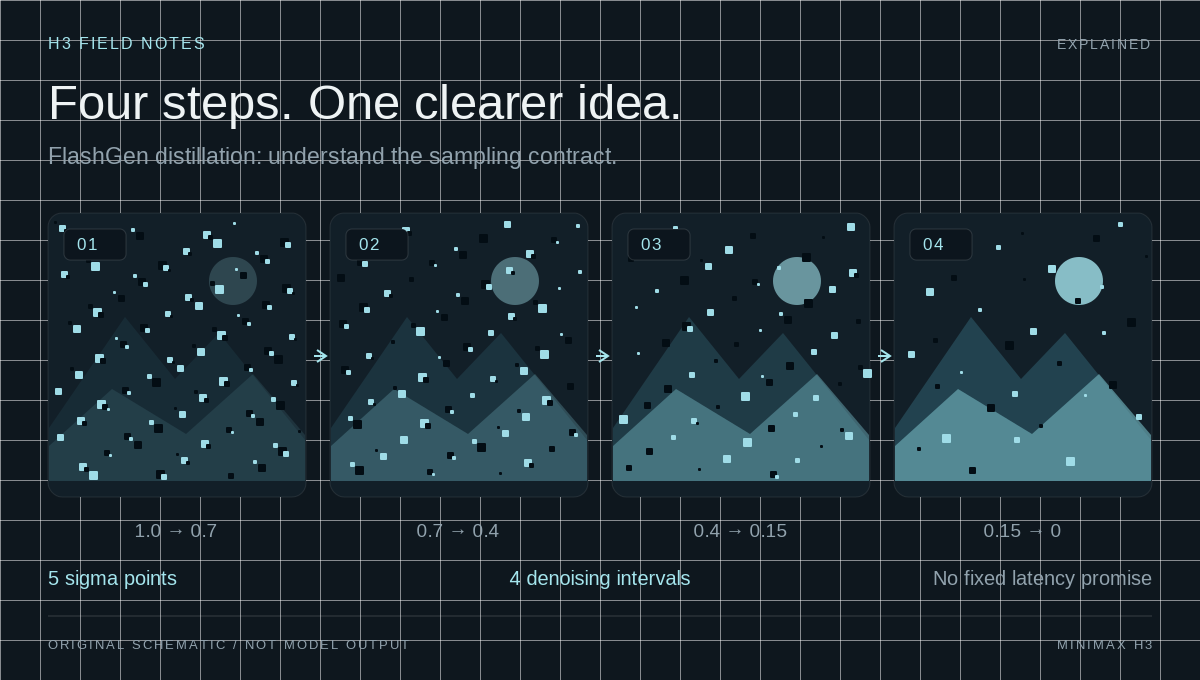
The quick answer
FlashGen is a four-step distillation adapter for H3 text-to-video with audio. Match the artifact, runtime, and sampling schedule before measuring end-to-end speed. Four steps is not a four-second promise.
On this page
What is MiniMax H3 FlashGen 4step?
MiniMax H3 FlashGen 4step is a community distillation LoRA for generating video and audio with fewer denoising steps. You load it alongside a compatible H3 base model. It is an adapter, so downloading the LoRA alone does not give you a complete video generator.
The publisher’s model card describes a T2VA release trained for four steps, with a 1344 × 768, 5.2-second training configuration. Those are useful reproduction settings; they are not proof that every duration, resolution, or H3 workflow works equally well.
Use this guide when you want a repeatable first experiment, a way to check your adapter is active, and a fair test of whether fewer steps actually help your workflow. The setup steps below are a suggested evaluation method, not a claim that we benchmarked this release on your hardware.
Choose the right starting point
- You already run H3 locally: save a working baseline, then add the adapter using the instructions for your exact runtime and artifact.
- You are new to local video generation: make the base model produce a clip first. Debugging the base model and a new LoRA at the same time makes failures harder to isolate.
- You only need a hosted video: check the provider’s exposed model and parameters. Access to an H3 or H3 Max endpoint does not establish that it accepts arbitrary community LoRAs.
- You need image or reference conditioning: verify support explicitly. The documented FlashGen release is T2VA; broader H3 input capabilities do not automatically transfer to the adapter.
For context, MiniMax’s base model card distinguishes FL2VA keyframe generation from Ref2VA reference generation. Treat the base partition, adapter, and runtime as one compatibility decision.
A practical first-run workflow
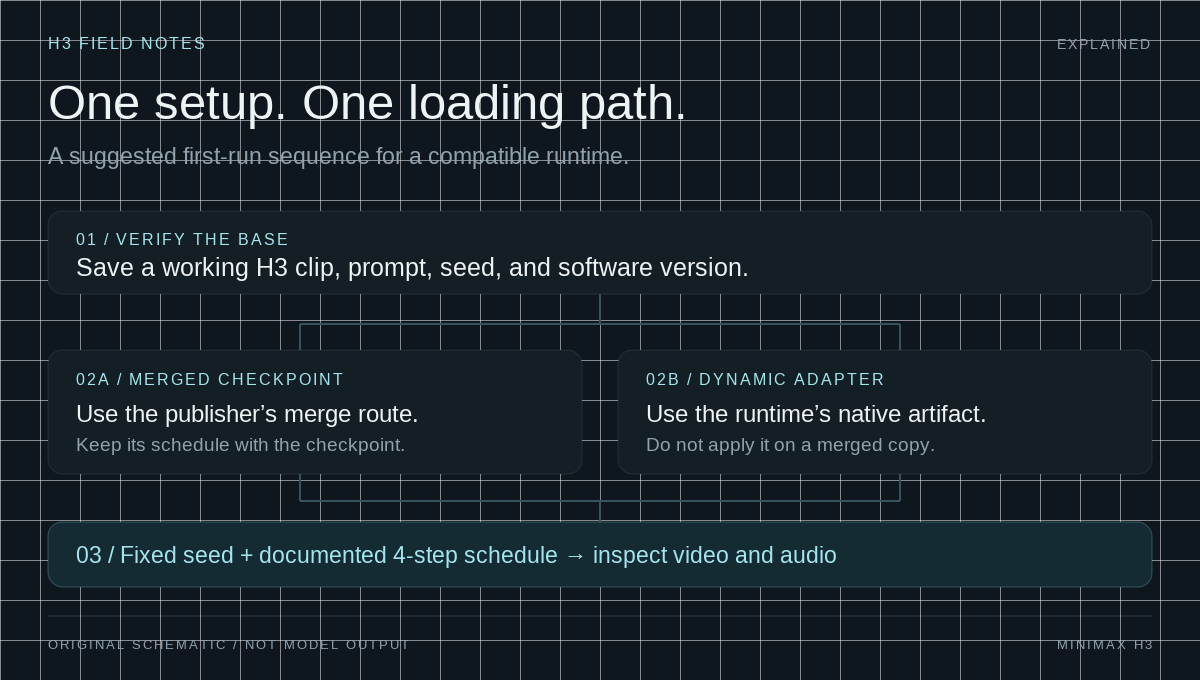
A suggested setup sequence. Keep the merged-checkpoint route and dynamic-adapter route separate.
1. Save a known-good baseline
Generate a short, simple scene with your existing H3 setup. Save the prompt, seed, checkpoint name, software version, sampler, output size, duration, and total elapsed time. Keep the output, too: a screenshot of the first frame will not reveal motion or audio problems later in the clip.
Use one subject, one action, and a stationary camera. A complicated crowd scene introduces too many possible causes of failure for a first test. If your baseline already fails, resolve that before changing the sampling configuration.
2. Select one supported loading route
There are two documented integration approaches, and their artifacts should not be treated as interchangeable:
- The Beidouqixing release provides a merge script for creating a checkpoint with its distilled schedule.
- The vLLM-Omni H3 recipe documents a native FlashGen artifact loaded dynamically. That path uses T2VA and rejects an already schedule-pinned checkpoint.
Follow the selected source’s current commands in full. Do not load a dynamically applied copy on top of a checkpoint you already merged. Record the repository, exact filename, and revision so you can reproduce your result after an update.
For the publisher’s merged-checkpoint route, download its LoRA and merge script, then adapt this command to your local paths. This is a documented setup example, not a command we ran as part of writing this guide:
python /path/to/flashgen/merge_lora_ckpt.py \
  /path/to/MiniMax-H3/FL2VA \
  /path/to/flashgen/minimax_h3_4step_lora_flashgen_v1.0_768p_bf16.safetensors \
  ./h3-flashgen-merged
The model card points the runtime to the resulting FL2VA directory. Use the current deployment instructions for your backend to start it. If you selected dynamic loading instead, follow that runtime’s native-artifact recipe rather than this merge example.
3. Check the schedule before judging the output
In the documented native integration, the schedule has five sigma points defining four denoising intervals. The requested inference-step count is four. A list with five entries does not mean the model needs five denoiser evaluations. See the runtime’s schedule contract.
Keep other settings at the selected integration’s documented values for the first run. Changing a sampler, a flow shift, and a cache setting together makes it difficult to tell whether a quality problem comes from the adapter or from a configuration mismatch.
4. Make one small, inspectable clip
Start close to the published training configuration if your chosen runtime supports it. Confirm that logs identify the intended artifact and that generation completes with video and audio. Replay the entire clip before increasing duration or scene complexity.
A successful run establishes that this particular combination works. It does not establish support for every H3 mode, every quantization, or every other LoRA.
A prompt you can adapt
This is an original diagnostic prompt. It describes visible action and audible events without demanding a sequence of unrelated shots. Adapt its formatting if your runtime requires H3’s structured prompt format.
A single continuous medium shot of a ceramic mug on a wooden table
beside an open window. A light breeze moves the curtain slowly.
The mug stays in the same place and keeps the same shape.
Soft morning light, natural textures, a locked camera.
Audio: gentle outdoor ambience and quiet curtain rustling.
First, keep that scene unchanged across runs. Then change one element: lighting, camera movement, or the main action. If you add a camera move, use one clear instruction such as “a slow push toward the mug” rather than several competing camera directions.
For more shot ideas, use the H3 prompt generator. Treat its output as a starting draft and simplify it for diagnostic runs.
Measure useful speed, not just step count
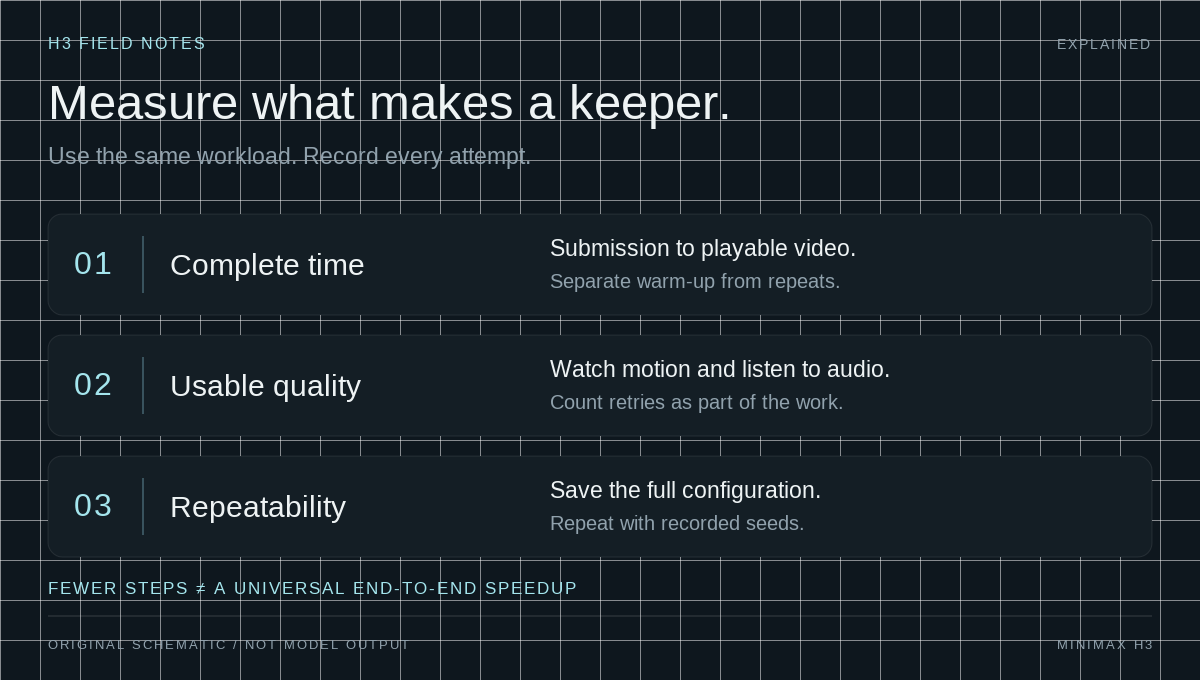
Recommended evaluation criteria. This illustration contains no measured benchmark results.
Four steps does not mean four seconds. Your request still includes work outside denoising, so count the time from submission to a playable file. Keep the hardware and workload the same when comparing configurations.
Run a warm-up separately, then repeat the same test prompt several times. Record both total latency and how many outputs you would actually keep. A faster run that needs more retries can be a poor trade for your use case.
Check three things in every output:
- Visual continuity: does the subject keep its identity and shape through the whole clip?
- Action and sound: does the requested movement happen, and is the soundtrack coherent with the scene?
- Repeatability: can you rerun the saved configuration and obtain stable behavior?
Use the base model’s recommended sampling setup for your quality baseline, and the adapter’s documented setup for the distilled run. Forcing both to four steps would test a different question. Where your backend supports deterministic generation, a fixed seed also helps distinguish a meaningful configuration change from a random new sample.
Troubleshooting without guesswork
| Symptom | First check |
|---|---|
| The adapter will not load | Verify the artifact format, base partition, and runtime version against your chosen integration. |
| The clip looks unusually noisy | Check that the adapter and its sampling schedule are both active. |
| Generation is still slow | Separate loading, encoding, denoising, decoding, and output-writing time. |
| Quality changes after an update | Reproduce with the saved artifact revision and original settings before adding new optimizations. |
| It runs out of memory | Return to the working baseline and review the runtime’s complete memory requirements. |
Frequently asked questions
Is FlashGen 4step a replacement for the H3 base model?
No. It is an adapter for a compatible base model. Your setup still needs the model components and a supported inference runtime.
Will it always be five times faster?
There is no universal end-to-end multiplier. Compare complete generation time on your own workload, including warm-up and retries, instead of turning a reduction in steps into a guaranteed speed claim.
Can I combine FlashGen with VBVR?
Do not assume that combination works. Start by testing each adapter in its documented task and runtime. Any composition needs explicit loader support and a separate quality evaluation. Our MiniMax H3 VBVR guide covers the consistency-focused adapter.
Does FlashGen change the H3 Max API price?
A local sampling configuration does not establish a change in a hosted provider’s billing. Use the cost calculator for the published H3 Max rate model, and evaluate local compute costs separately.
Sources and editorial notes
Checked on October 31, 2026. Integration behavior can change; follow the source matching your installed version. The illustrations are original explanatory diagrams, not model-generated samples. Prompts, test plans, and troubleshooting priorities are editorial suggestions.